Deep work, right next to your meetings.
Brookhour is a calm focus timer for Mac. Every session you run now lands on your calendar as Busy, so your week finally shows the work, not just the talking.
Free for 14 days · macOS 14 or later · Works with any calendar on your Mac
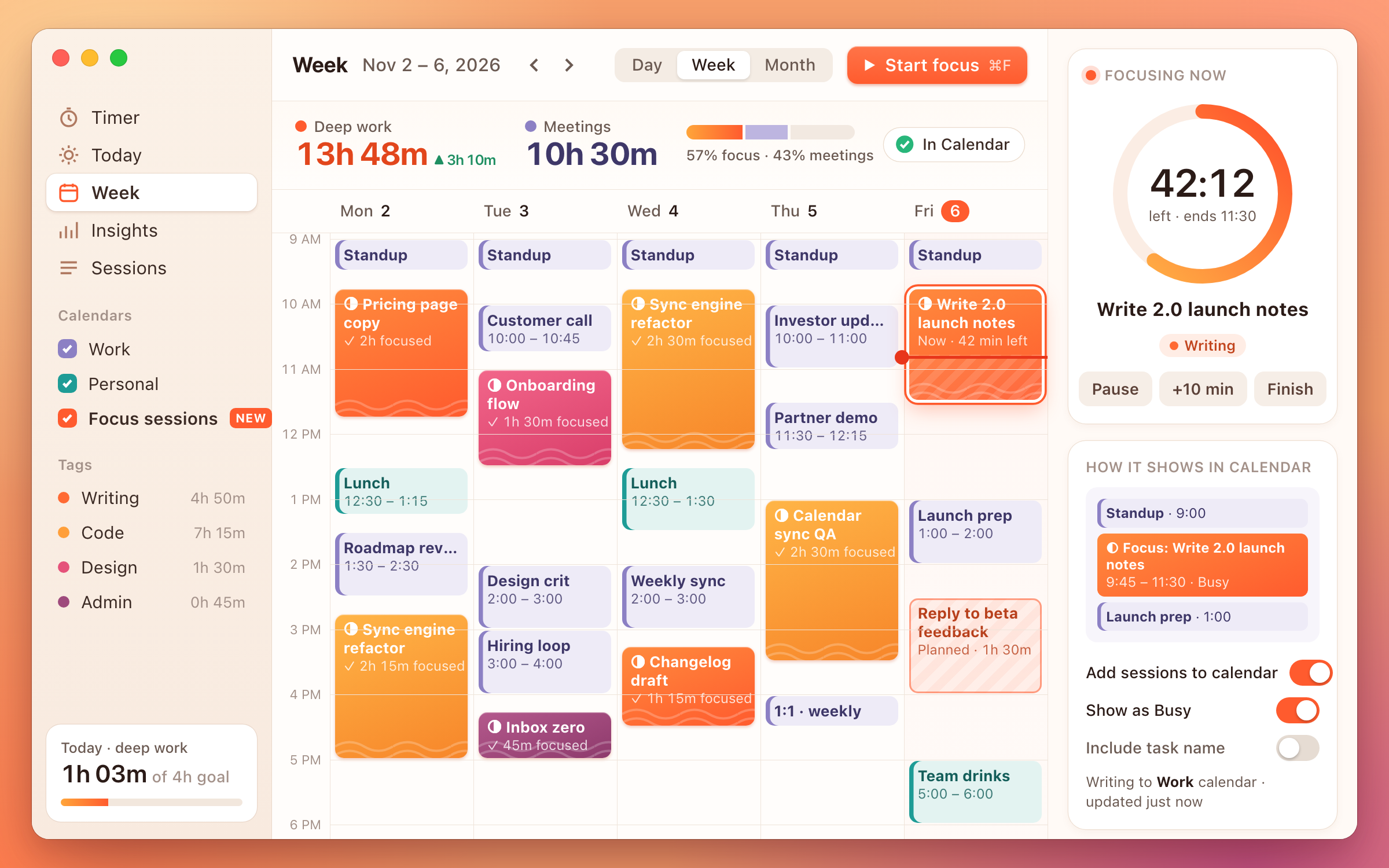
Your calendar only showed the meetings. Now it shows the work.
Sessions land on your calendar
Start a timer and a block appears in the calendar you choose. Finish early and it shrinks to fit.
Busy means busy
Teammates see a Busy block, not your task list. Turn on task names only if you want to.
Focus vs. meetings, weekly
One honest number on Friday: how much of your booked time was actually yours.
“People kept asking to see their deep work next to their meetings. So we put it there.”
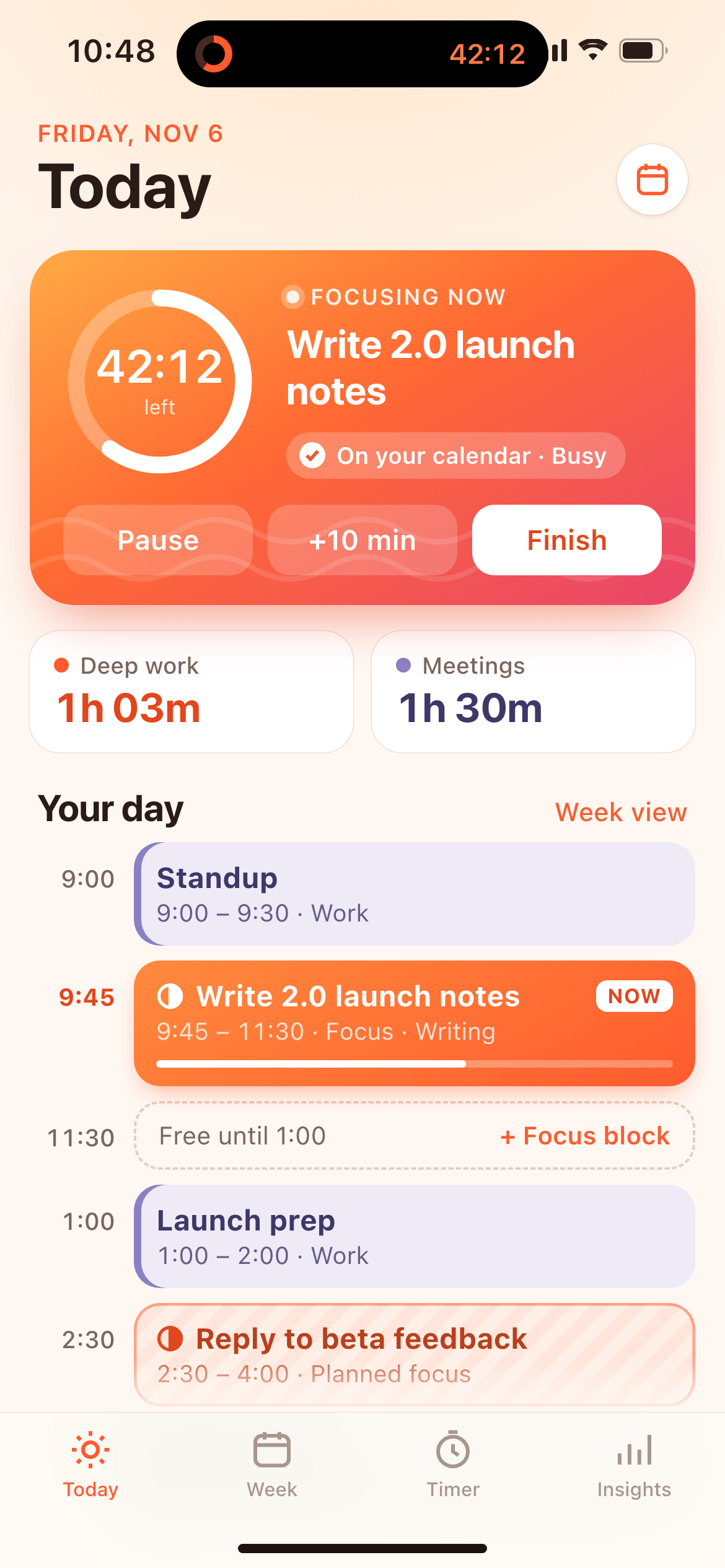
From the Brookhour 2.0 release notesYour day, sessions and meetings in one list.
The timer follows you to your phone and the Dynamic Island. Plan a focus block in the gap before lunch, and it’s on your calendar before you’ve put the phone down.
Pay once. Focus for years.
Brookhour
Mac app, one-time purchase. All 2.x updates included.
Brookhour + iPhone
Mac and iPhone, synced sessions, Live Activities and widgets.